
Crossbar
CrossbarSports
4.7136.00 Reviews
- Version
- 48
- Installs
- 100.00K
- Age Rating
- Everyone
Screenshots
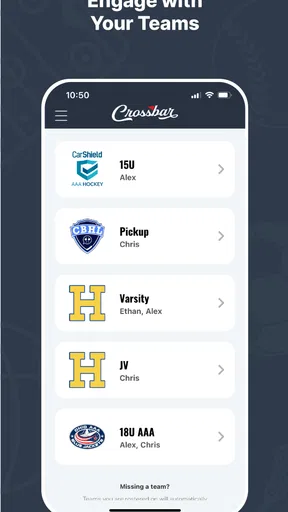
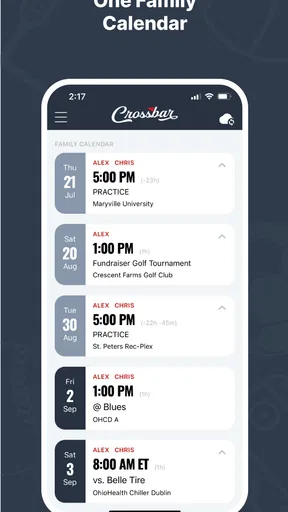
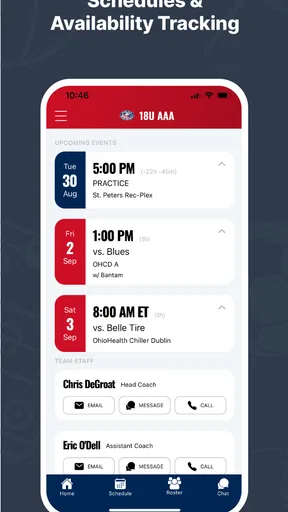
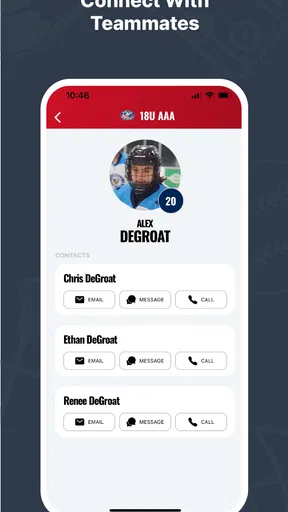
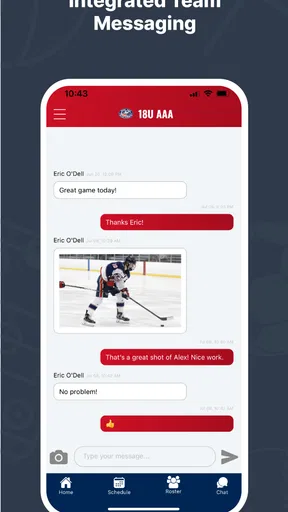
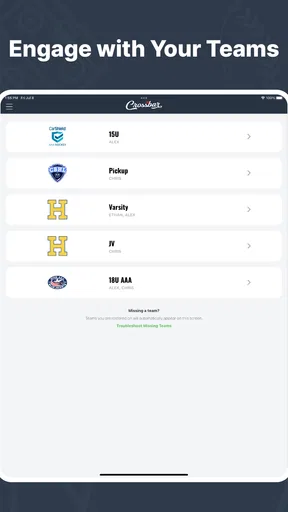
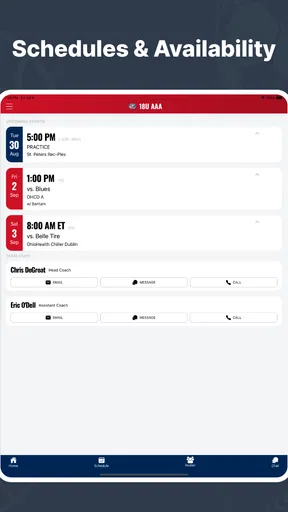
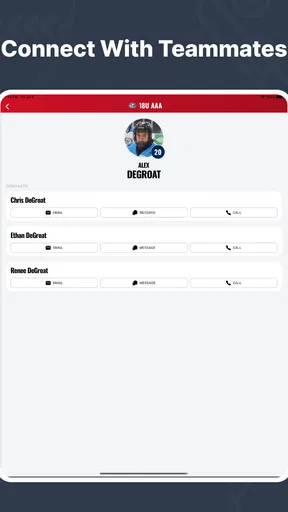
Our Review of Crossbar
 Analysis by Appyee
When youth sports information is scattered across messages, paper notes, and last-minute conversations, even a simple practice can become difficult to manage. I found Crossbar most useful as a shared place for the practical side of youth sports: keeping families, players, and organizers pointed toward the same schedule and team information. It is a free sports app from Crossbar, aimed at Everyone, and it runs on Android devices using version 7.0 or later.
My first impression was that this is not trying to be a general fitness tracker or a complicated coaching platform. Its purpose is narrower and more useful: helping organize the moving parts around youth sports. That focus makes it easier to understand, but it also means its value depends heavily on whether your club, league, or team already uses Crossbar.
How Crossbar feels to use in everyday youth sports
I find Crossbar easiest to judge as a practical reference for the details that shape a youth-sports week, rather than as an app to browse for its own sake. In this section, I’ll focus on how that role can help families coordinate plans and where the team’s habits still matter. That distinction leads naturally to the everyday routines where a shared reference is most useful.
Readability and navigation for busy families
The most important quality in an app like this is not visual excitement. It is whether I can open it quickly and find the information I need before leaving the house. Crossbar benefits from having a practical, sports-administration focus rather than filling the screen with unrelated content. For a parent checking a team commitment, the useful question is usually straightforward: what is happening, where is it happening, and what do I need to remember?
I would describe the experience as more functional than polished. That is not necessarily a criticism. A youth sports organizer needs a dependable reference point, not another social feed competing for attention. The app makes more sense when I treat it as a team noticeboard that travels with me, rather than as a destination I browse for entertainment.
For readability, the surrounding context matters. A schedule viewed on a phone is easier to use when the information has been entered consistently by the club or team. If event names, locations, and changes are written clearly, the app can reduce the mental work of searching through old conversations. If the underlying team information is incomplete or updated late, no interface can fully solve that problem.
A useful habit is to check the app at two different moments: once when the week begins, and again before leaving for an event. The first check helps me understand the shape of the week; the second catches changes that might affect travel or attendance. This is more reliable than assuming that a message received several days ago is still current.
The app has a 4.7 average from around 4.3 thousand ratings, which suggests that many people find its focused approach worthwhile. I would not treat that figure as a guarantee that every club’s setup will feel equally clear, though. The quality of the experience can depend on how actively organizers maintain their team information.
Navigation that works best when the information is already organized
Crossbar is especially helpful for families involved with more than one activity, age group, or team. Instead of remembering which conversation contained a particular update, I can use the app as a central reference. That becomes valuable during weeks with overlapping practices, games, meetings, or travel plans.
One non-obvious advantage is the reduction of decision fatigue. Parents often do not need more information; they need fewer places to check. Moving from scattered notices to one sports-specific source can make planning calmer, particularly when several adults share responsibility for transportation.
There is a trade-off here. A dedicated team app is only as useful as the organization behind it. If one coach communicates through a different channel and another relies on Crossbar, families may still have to monitor multiple sources. I would agree with a club’s chosen system rather than trying to turn this app into a replacement for every communication method.
Motor and sensory considerations during real use
For users with limited dexterity, the practical question is how much precise interaction is needed to reach important information. Crossbar is more approachable when I use it for checking rather than composing. Reading an event or confirming a team detail generally demands less fine motor control than entering long messages, repeatedly switching between screens, or managing a complicated configuration.
That distinction matters for parents who use one hand while carrying equipment, helping a child, or standing beside a field. I would prepare the week’s information before leaving home, when I can use the phone more comfortably, instead of trying to perform several tasks in a noisy parking area.
For people with visual sensitivities or attention difficulties, a focused sports tool can be easier than a general social platform filled with unrelated alerts. The app’s value is strongest when I open it with a specific purpose. I would still rely on the phone’s own text-size, display, contrast, and notification controls where available, because those system settings often make a bigger difference than any individual app.
Users with hearing loss may appreciate having written team information available instead of depending entirely on announcements at a field. That does not mean the app replaces spoken instructions from coaches or organizers. It works better as a written backup for schedules and logistics, while urgent sideline communication may still happen in person.
For sensory overload, timing is important. Checking the schedule at home avoids trying to interpret information beside loud games, bright outdoor conditions, or a crowded venue. I found that the app’s practical role is not only what it displays, but also when it lets me retrieve that information without asking someone else to repeat it.
Situational access: from kitchen planning to the sports field
A realistic example is a Saturday with two children playing in different places. On Friday evening, I can review the week’s commitments, compare them with family transportation, and identify where a handoff between adults is needed. On Saturday morning, I can look again before packing water, clothing, and equipment. If plans change, having one team-focused place to consult is less frustrating than searching through a long message history.
Another useful situation is sharing responsibility with a relative or babysitter. Rather than forwarding several old conversations, I can point that person toward the relevant team information and explain the day’s plan. The app does not remove the need for clear communication, but it can give everyone a common starting point.
Crossbar can also help when a parent is temporarily away from the usual routine. A work trip, illness, or change in pickup arrangements can make ordinary sports logistics harder. A central schedule gives the substitute caregiver something concrete to check, which is more dependable than relying on memory.
Its reported reach of over 100 thousand installs indicates that it is used beyond a small private group. Even so, I would not install it expecting to discover local sports opportunities automatically. The meaningful experience begins when the relevant organization uses Crossbar and connects its team information to the app.
This is also where the app differs from ordinary calendar tools. A phone calendar is excellent for personal reminders, but it usually requires manual entry and does not naturally reflect the way a youth sports organization manages teams. A group chat is fast and familiar, but important details can disappear under casual conversation. Crossbar sits between those options: more structured than chat, and more connected to team organization than a personal calendar.
Where it fits compared with familiar alternatives
If your family only needs one or two manually entered reminders, a standard calendar may be simpler. It is already on the phone, works for appointments of every kind, and does not depend on a club adopting the same service. For a single child with a stable routine, adding another app may not feel worthwhile.
Group messaging is better for quick questions and informal discussion. If a parent needs to ask whether someone can share a ride, a chat may produce an answer faster. Crossbar is better suited to the stable information that people need to find again later. I would use the two for different jobs rather than expecting either one to handle everything.
Large sports-management platforms may offer broader administration tools, registration functions, or communication features. They can be a better fit for organizations that need a full operational system. Crossbar appeals more to families who want the youth sports side of life organized without turning every interaction into a complex management task.
The key trade-off is convenience versus independence. A personal calendar works whether or not a club participates. Crossbar becomes more useful as more of the team uses it, but that also means a family cannot fully control the quality or timing of the information. Before committing to it as your main reference, I would confirm that your organization actively maintains its Crossbar presence.
Remaining barriers and points of friction
The first barrier is adoption. If only part of a team uses the app, families may still receive important updates elsewhere. That creates the exact fragmentation the app is meant to reduce. I would ask the coach or club which information belongs in Crossbar and which channel remains official before relying on it for a time-sensitive event.
The second barrier is update discipline. A well-organized interface cannot compensate for an outdated venue, an unannounced time change, or inconsistent naming. Parents should still use sensible judgment before a long trip, especially when weather or field availability may affect the schedule.
There is also a learning curve for relatives who are less comfortable with apps. Even a focused tool can feel like extra work if grandparents or occasional caregivers only need one piece of information. In those cases, I would share the relevant details in plain language as well, rather than assuming every caregiver will open and navigate the app confidently.
Another limitation is that accessibility is not only an app issue. A person may need larger text, stronger contrast, voice assistance, or reduced motion on the phone itself. The app should be judged alongside the device settings and the way the organization enters information. Short, consistent event names are easier for everyone to scan than vague labels or long blocks of text.
I also would not choose Crossbar simply because it is free. Free removes a financial barrier, but it does not remove the cost of learning another system or checking another source. The right question is whether it reduces confusion in your particular sports routine. For a club that uses it consistently, the answer may be yes. For a team that rarely updates it, a shared calendar and a clear communication habit could be more effective.
Who will benefit most from Crossbar?
I think it is a strong match for parents managing recurring youth sports commitments, especially when several adults share transportation or when a child’s schedule changes from week to week. It is also useful for organizers who want families to have a common place to look instead of answering the same logistical questions repeatedly.
It may be less suitable for someone looking for training plans, personal performance analysis, live sports entertainment, or a broad social network. Crossbar’s sports category describes its setting, but the app is about organization around youth sports rather than improving athletic technique.
Families with only occasional sports commitments may prefer not to add a dedicated app. Likewise, anyone whose club does not actively use Crossbar will gain little from installing it on their own. The app is not a universal solution for every sports-related need; its usefulness is tied to the team workflow.
My inclusive verdict
After using Crossbar as a practical youth sports organizer, I see its main strength in reducing the number of places families must search. It can support different abilities and circumstances by giving people written, centralized information that can be checked at a convenient time, rather than forcing everyone to depend on memory, spoken announcements, or fast-moving chats.
Its inclusive value is strongest when organizers enter information clearly and keep it current. People with visual, hearing, motor, attention, or scheduling challenges may benefit from that structure, but the app should be paired with phone accessibility settings and straightforward communication from the team. No single app can solve barriers created by late updates, unclear event details, or a club that uses several disconnected channels.
Crossbar has been available since April 2020 and is currently at version 48. I like that it remains focused on an everyday problem instead of trying to become an all-purpose sports service. My recommendation is simple: if your youth sports organization already relies on it, install it and make it part of your weekly planning routine. If your team does not use it consistently, keep your calendar or messaging system as the main source and avoid adding another place to check.
My bottom line: Crossbar is most valuable when it turns a team’s changing schedule into a shared, readable reference point. It is free, rated for Everyone, and available at no cost, but its real benefit comes from consistent use by the people organizing your child’s sports life.
Verdict
Strengths of Crossbar
- Simple interface makes browsing and discovering content easy.
- Fast access to key features with minimal setup required.
- Useful notifications help users stay updated on relevant activity.
- Works smoothly on most modern Android and iOS devices.
- Convenient design supports quick use while on the go.
Limitations of Crossbar
- Some advanced features may require additional permissions or account access.
- The app may feel limited for users seeking extensive customization.
- Notification frequency can become distracting without careful settings.
- Performance may vary on older devices or slower connections.
- Availability of certain content or features may depend on region.
Similar Picks in This Category
View All
BeSoccer: Soccer Live Score
BeSoccer apps4.3

Cricbuzz - Live Cricket Scores
Cricbuzz.com3.7

NFL
NFL Enterprises LLC2.4

Da Fit
MO YOUNG LIMITED3.6

ESPN
Disney4.5

LiveScore: Live Sports Scores
LiveScore Limited4.5
Frequently Asked Questions
What is Crossbar, and what can I use it for?
Crossbar is an app designed to help users connect with and manage Crossbar-based services, communities, or activities from a mobile device. Depending on the organization using it, you may be able to view updates, access shared information, communicate with other members, manage events, or follow relevant content. The exact features can vary, so check which Crossbar service your organization supports before downloading.
Is Crossbar free to download and use?
Crossbar may be available as a free download, but some features depend on the specific organization, community, or service connected to the app. Access could require an existing account, an invitation, membership, or payment handled outside the application. Before installing, review the app-store listing and confirm with the organization that invited you whether any subscriptions, registration fees, or paid services are required.
Do I need an account or invitation to use Crossbar?
In most cases, Crossbar is intended for users who are connected to a participating organization or service. You may need to create an account, sign in with existing credentials, or accept an invitation before you can access private content and tools. If you install the app without an associated account, some sections may be unavailable. Contact the relevant organization if you have trouble signing in.
What permissions and personal information does Crossbar require?
The permissions requested by Crossbar can depend on the features enabled by the organization using it. The app may request access to notifications, account details, contact information, or other device functions needed for communication and service delivery. Review the privacy policy and permission prompts carefully, and only grant access that you consider appropriate. You can usually manage permissions later through your Android or iOS settings.
Does Crossbar work on both Android and iPhone, and does it require an internet connection?
Crossbar availability depends on the official version published for your device and region, so verify compatibility in the Google Play Store or Apple App Store before downloading. An internet connection will generally be necessary to sign in, synchronize information, receive updates, and use online communication or event features. Some previously loaded information may remain visible offline, but full functionality normally requires Wi-Fi or mobile data.
